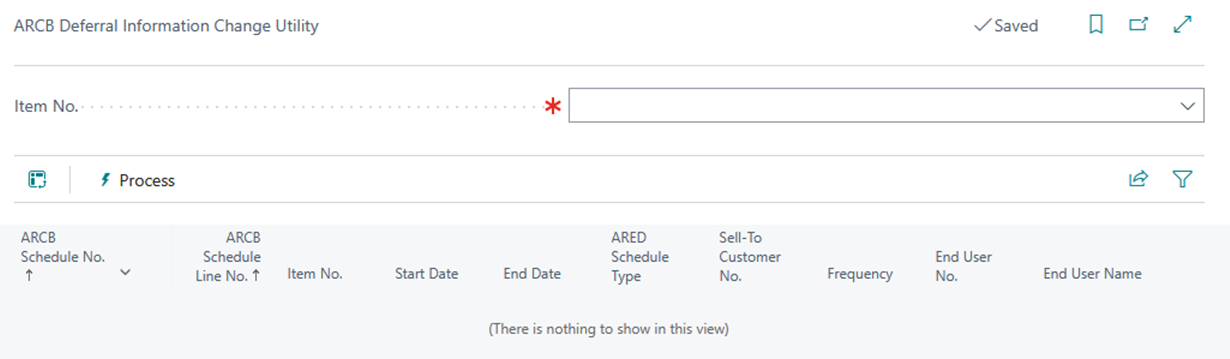
Deferral Update Utility
This utility is used to update multiple billing schedules at once.
Please note the following when running this utility:
-
The Schedule Line(s) will be visible only if the status is active, hold & last billing.
-
Only the deferral line will be visible.
-
After selecting the schedules, they will be updated.
The Updating Process
-
Deferral accounts and default template(s) will be updated according to the parameters set in the Deferral Accounts Setup (SBS ARED Deferral default setup).
-
If either the Gen. Bus posting setup or the Gen prod posting setup does not exist, then that item will be skipped.
-
Recognition accounts will be updated from “Gen posting setup”.
-
If the deferral default template does not exist, then the template will not be replaced by a blank template.
-
After updating, the internal validation process will run. If the validation fails, then no information will be updated.
Example:
There is a blank deferral account. The STLT functionality is enabled, but the STLT accounts are not listed in the setup. The schedule will not be updated, since it will not process empty accounts.
-
A log report will be opened that lists the status along with an error message. This indicates which schedules have (or have not) been updated.
-
This utility will not process multiple items simultaneously.
-
This utility will work for the ARCB billing schedule information, but not for Deferral schedules.
Note: The deferral information wil be updated if the schedule line is invoiced. This information can also be updated from the SBS ARCB Deferral Update Utility.